

If you have received an Advisera certificate or want to verify a certificate presented by someone else, you can easily check its authenticity.
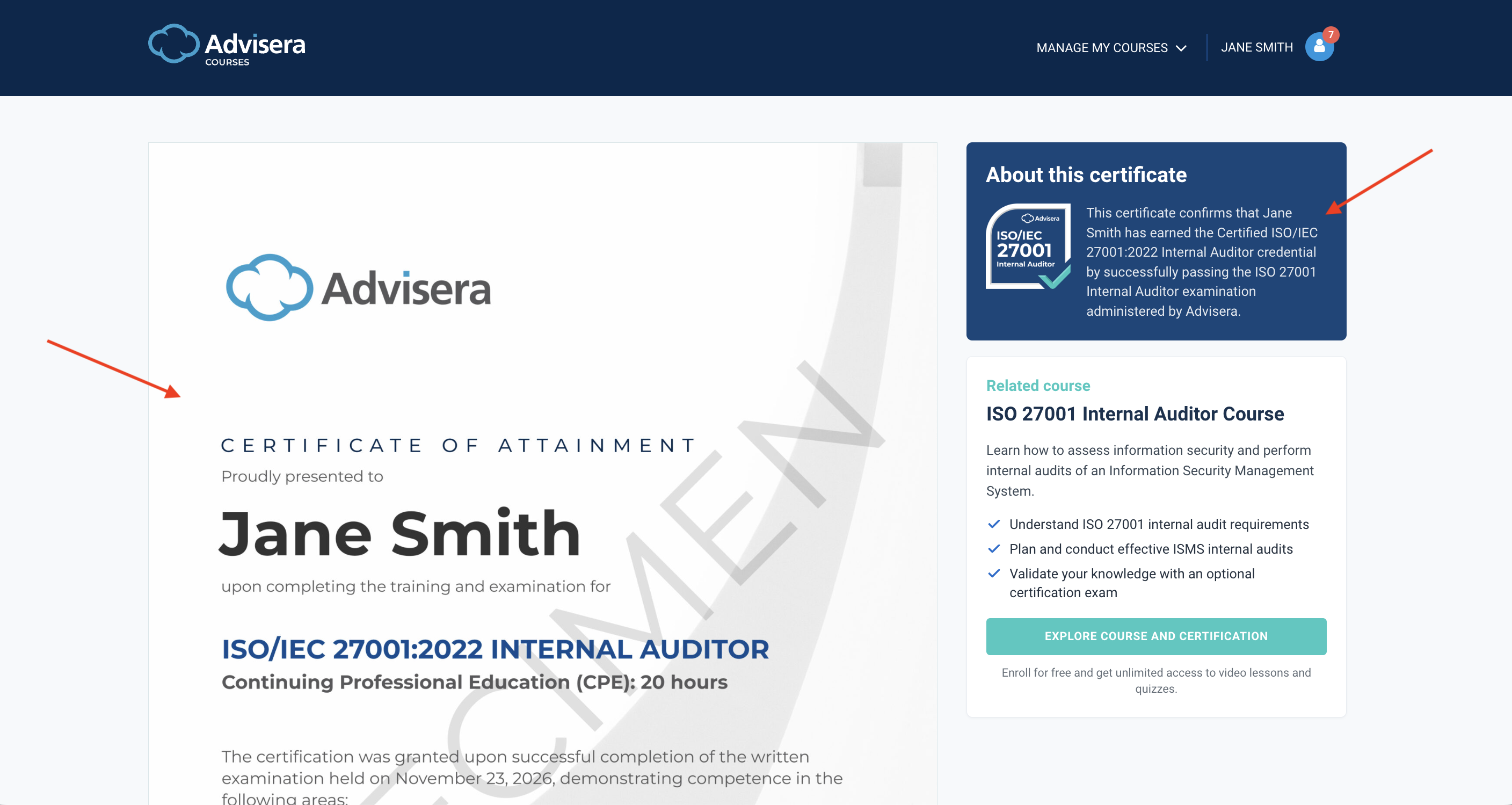
Advisera certificates can be verified using a direct link to the certificate’s verification page or by scanning the QR code displayed on the certificate. Both methods lead to the same page, where you can review the certificate details and confirm its authenticity.
If neither the verification link nor the QR code is available, our support team can help.
How to check if an Advisera certificate is valid
If someone has shared an Advisera certificate with you, you can verify its authenticity in a few simple steps.
Option 1: Verify the certificate using a direct link
If you have received a link to the certificate’s verification page, you can use it to check the certificate’s authenticity.
- Open the verification link. Click the link shared with you by the certificate holder.
- Review the certificate details. The link will take you directly to the certificate’s verification page, where you can review the information and confirm its authenticity.

Option 2: Verify the certificate using its QR code
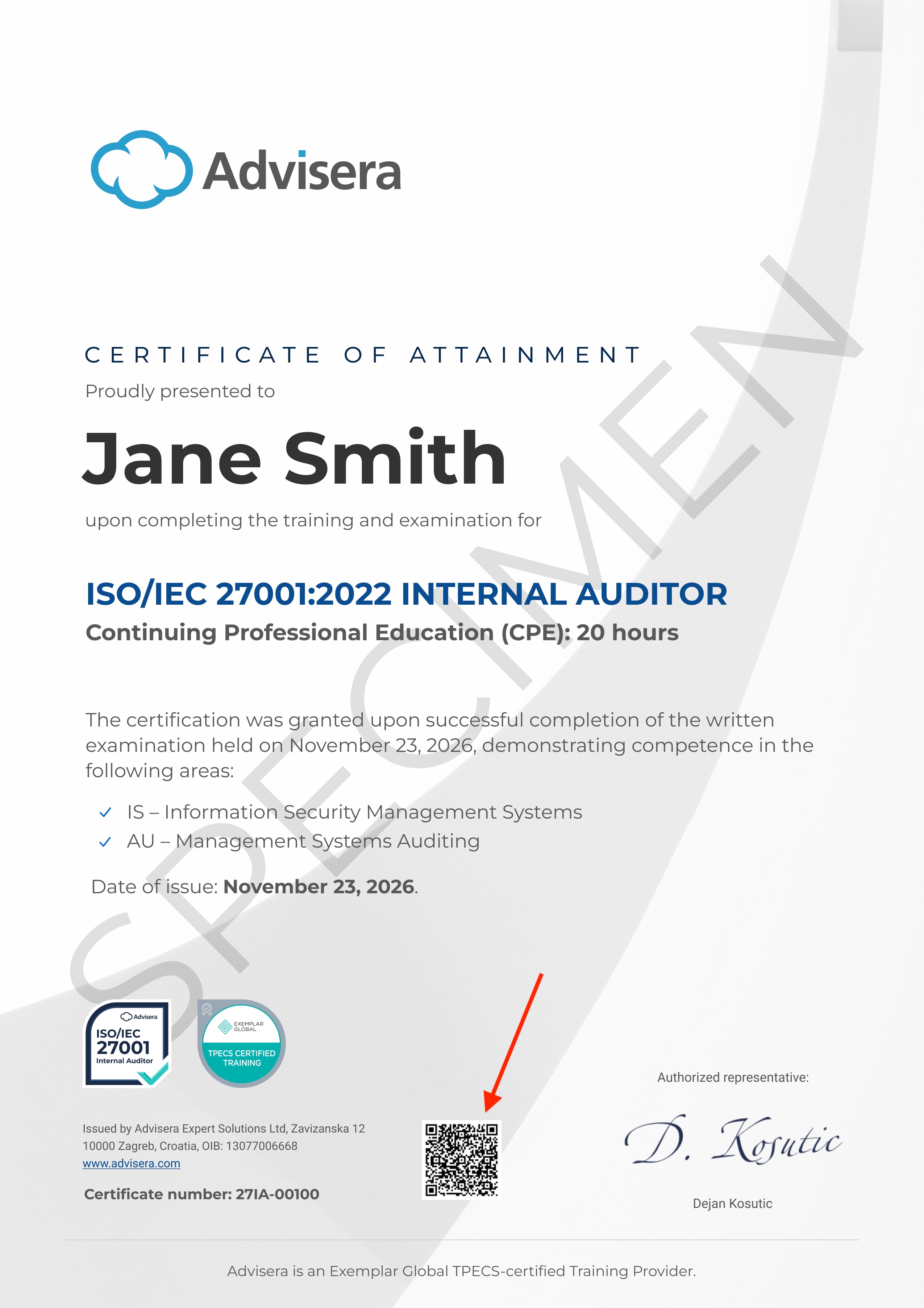
If the certificate includes a QR code, you can scan it to access the same verification page.
- Locate the QR code on the certificate. The QR code is displayed at the bottom of the certificate, if available.

- Scan the QR code. Open your smartphone’s camera or a QR code scanner and point it at the code.
- Open the verification page. Tap the link that appears after scanning the QR code.
- Check the certificate details. Review the information displayed on the verification page to confirm the certificate’s authenticity.
Option 3: Verify a certificate without a link or QR code
If you do not have access to the certificate’s verification link or QR code, contact our support team at support@advisera.com and provide a copy of the certificate you want to verify.
Our team will help you obtain the verification link or otherwise confirm the certificate’s authenticity.
How to show that your Advisera certificate is valid
If you have successfully earned an Advisera certificate, you may want to demonstrate its authenticity to employers, clients, colleagues, or other interested parties.
You can share your certificate’s verification link or a copy of your certificate so that others can independently confirm its authenticity.
Option 1: Share your certificate’s verification link
The easiest way to demonstrate your certificate’s authenticity is to share a direct link to its verification page.
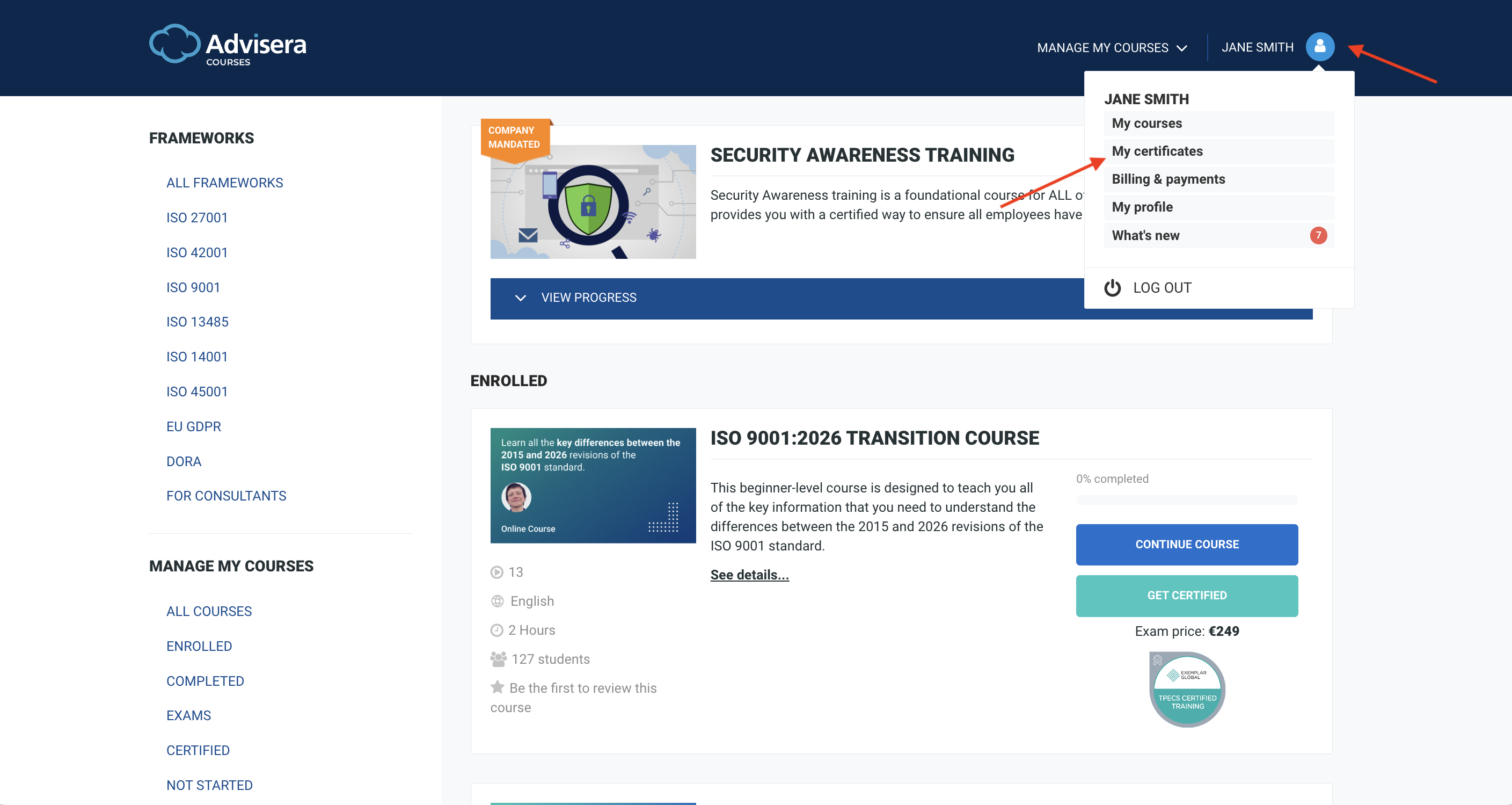
- Open the My certificates page on Advisera Courses. Go to your profile in the top-right corner and click on My certificates.
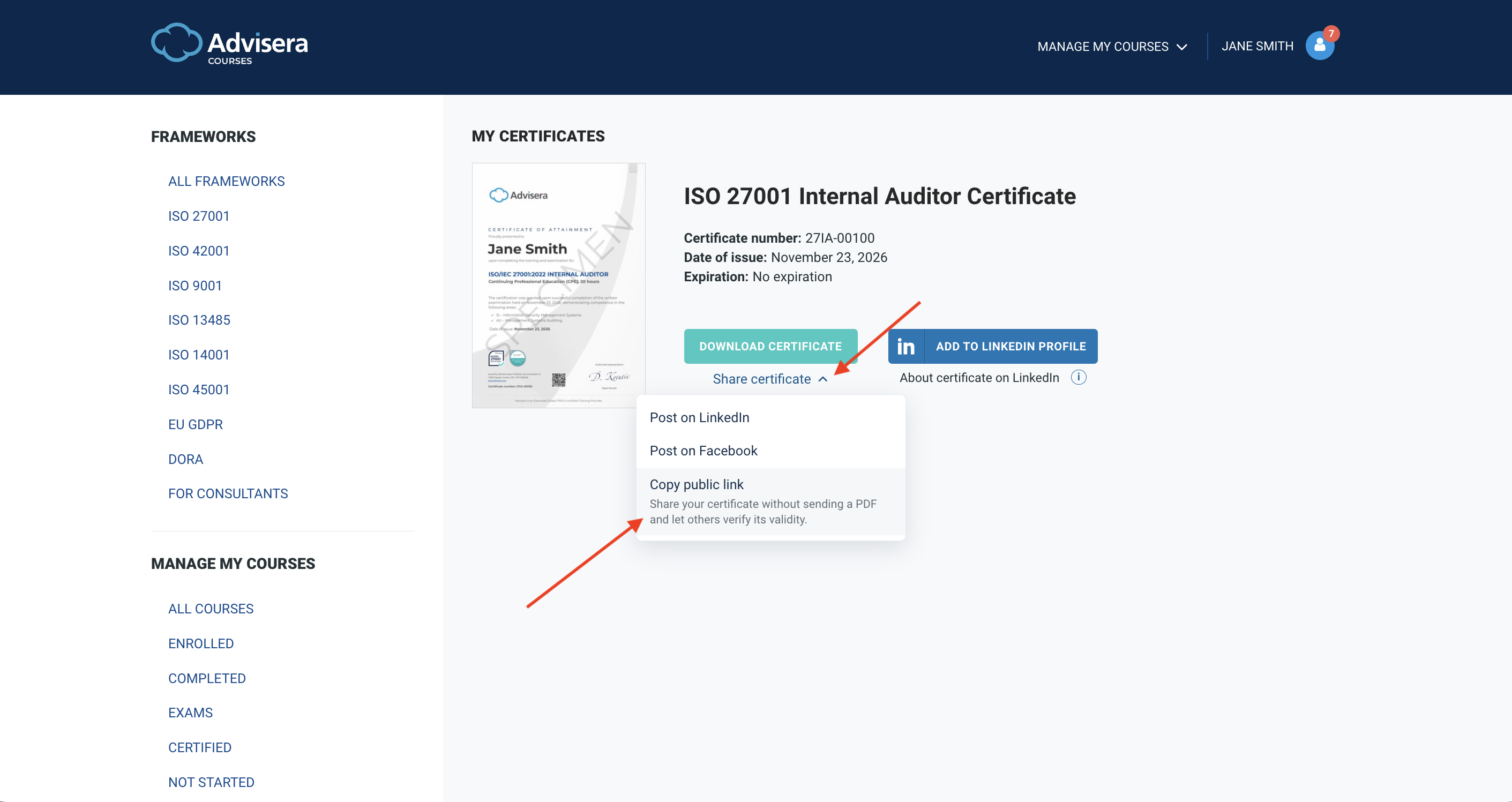
- Find your certificate’s verification link. Locate your certificate on the My certificates page and copy the verification link. Alternatively, you can post it on LinkedIn or other social media platforms.

- Share the link. Send it to the person who needs to verify your certificate, such as an employer, client, or colleague.
- Let the recipient verify your certificate. When they open the link, they will be directed to the verification page, where they can review the certificate details and confirm its authenticity.
Option 2: Share a copy of your certificate
If your certificate includes a QR code, anyone who has access to it can use it to verify your certificate’s authenticity.
- Check if your certificate contains a QR code. The QR code is displayed on the bottom of the certificate, if available.
- Share your certificate. Send a digital copy of your certificate or show it to the person who needs to verify it.
- Explain how to verify it. The recipient can scan the QR code using their smartphone and open the certificate’s verification page.
- Let the recipient check the details. The verification page allows them to review the certificate information and confirm its authenticity.
Option 3: Get help if you do not have a verification link or a QR code
If you do not have your certificate’s verification link or QR code, contact our support team at support@advisera.com.
Provide a copy of your certificate and explain that you need a verification link to share with others. Our team will assist you in obtaining the link or verifying your certificate.
Need help?
If you have any questions about the authenticity of an Advisera certificate, need help verifying one, or would like to obtain a verification link, contact us at support@advisera.com. Our team will be happy to assist you.