

What is the “Refine your writing” module?
The Refine your writing module helps you improve any text you have written—emails, policies, reports, blog posts, or other documents—so that it matches your preferred writing style.
Instead of generating generic AI content, Experta adapts your text to your personal or corporate style, making it more consistent, professional, and easier to read.
This module is designed as an AI copilot for everyday writing tasks, helping you save time while keeping full control over your content.
When should you use it?
Use this module whenever you already have a draft but want to improve it, for example:
- Writing client emails that need a more professional tone
- Adjusting internal documents to match company style
- Making policies and procedures clearer and easier to understand
- Improving blog posts or articles before publishing
How it works
The module has two simple steps:
1. Define your writing style
First, in the screen “Define style” describe how you want your texts to sound.
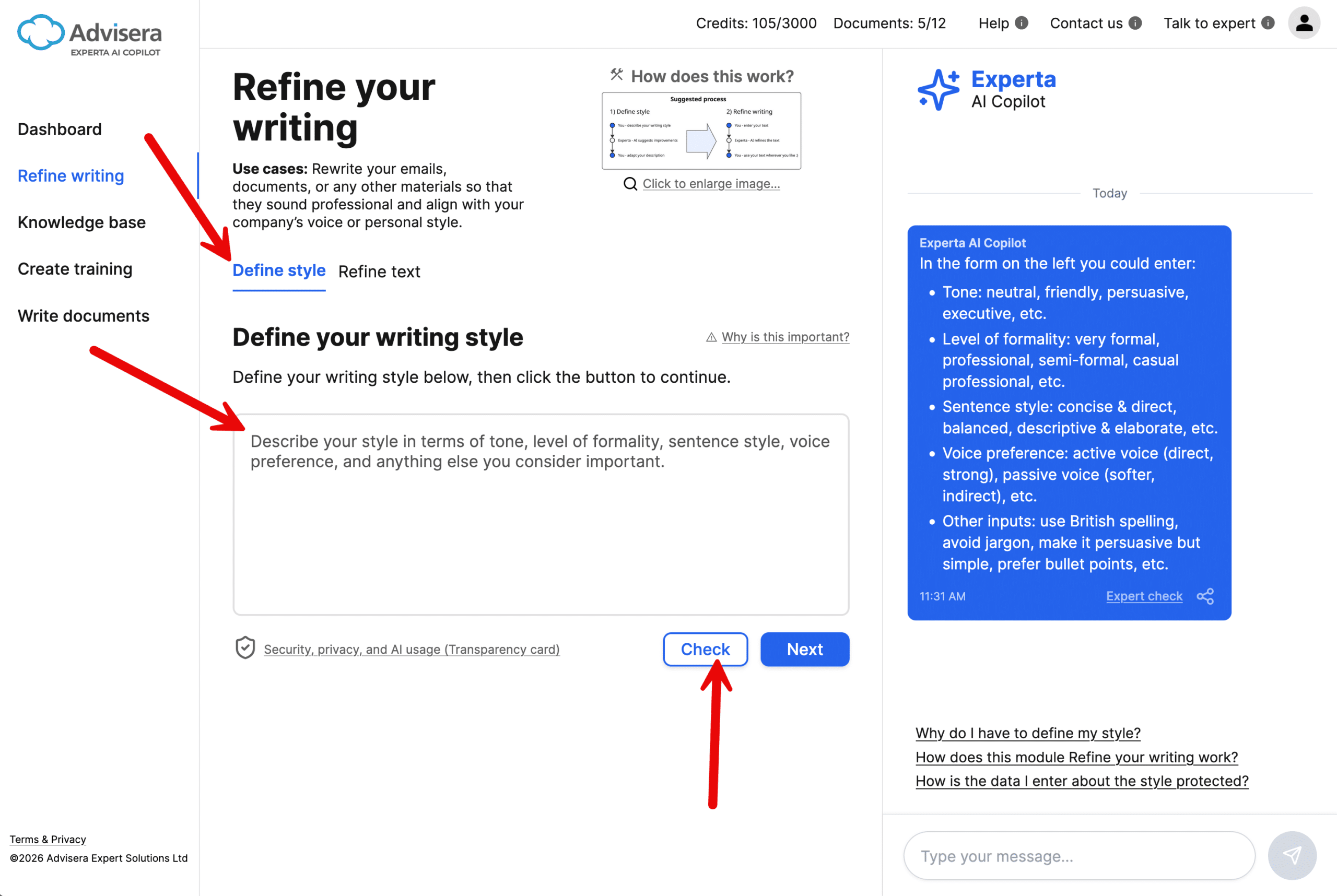
You can include:
- Tone (e.g., professional, friendly, persuasive)
- Level of formality (e.g., formal, semi-formal, casual professional)
- Sentence style (e.g., concise, detailed)
- Voice (e.g., active or passive)
- Any additional preferences (e.g., avoid jargon, use bullet points, British spelling)
Tip: Click the Check button and Experta will suggest what to improve.
Once confirmed, your style is saved and reused for future texts.
2. Refine your text
In the screen “Refine text” paste your text into the field and click Refine.
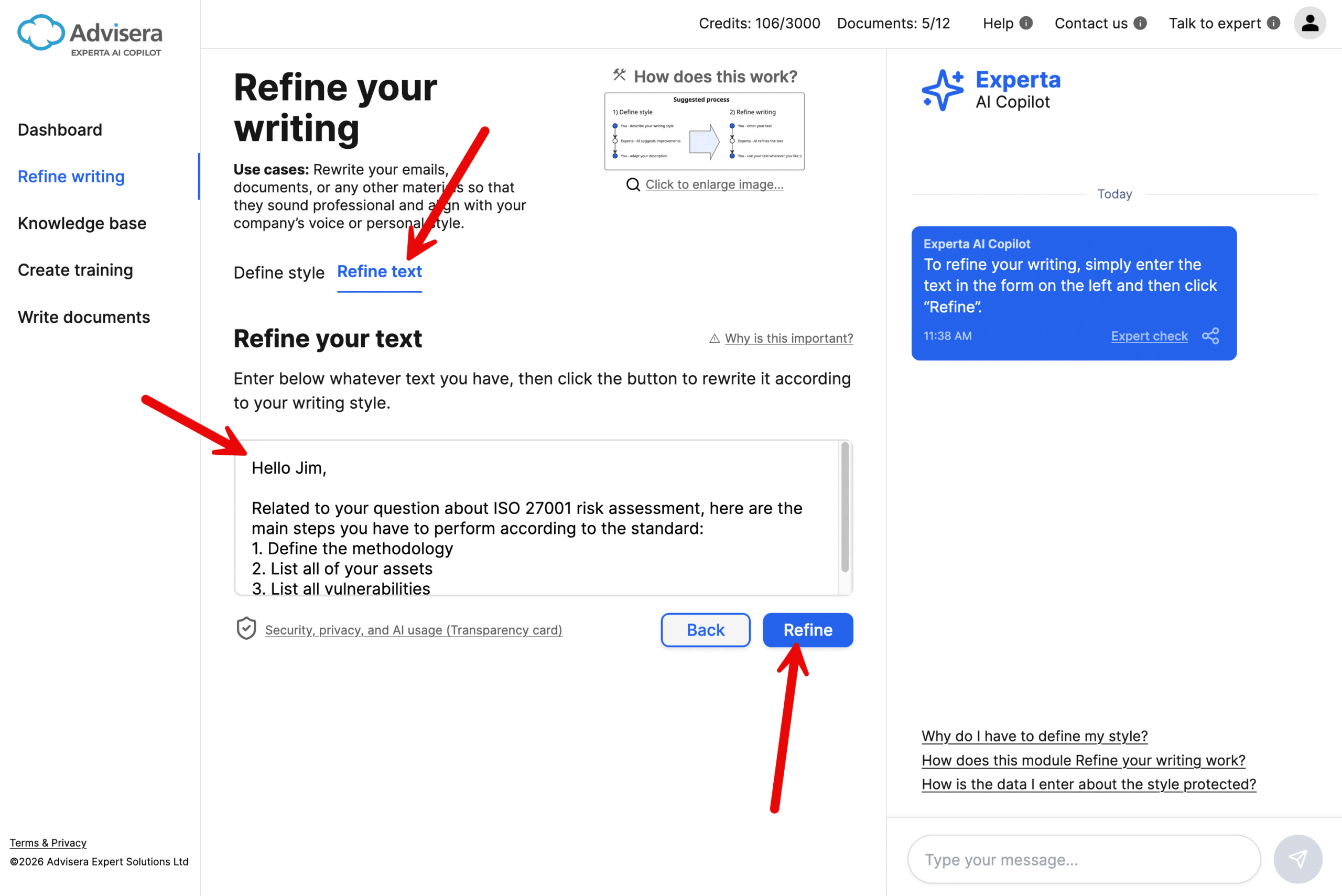
Experta will:
- Rewrite your text according to your defined style
- Improve clarity, readability, and consistency
- Keep the original meaning intact
The refined version appears instantly and can be copied or further edited.
What makes this different from ChatGPT?
Experta doesn’t just rewrite text. Its AI prompts are designed by Advisera’s experts to reflect how experienced consultants think and write, ensuring your style is applied consistently, and the output sounds professional, precise, and genuinely yours.
Tips for best results
- Start with a clear draft (even if it’s rough)
- Define your style as specifically as possible
- Keep refining iteratively if needed (e.g., simplify further, make more formal)
- Use the Chat sidebar for additional guidance or follow-up questions
Frequently asked questions
1. Why do I need to define my writing style?
Because it ensures all outputs are consistent with how you or your organization communicates.
2. Will Experta change the meaning of my text?
No. The goal is to improve wording and structure while preserving your intent.
3. Is my data safe?
Your inputs are handled securely and are not used to train AI models.