

What is the “Create training” module?
The Create training module helps you design and generate complete training materials for your organization — from defining the audience and goals, all the way to producing training materials and quizzes.
Instead of starting from scratch, Experta guides you through a structured process, ensuring your training is relevant, targeted, and aligned with your compliance framework.
What problems does it solve?
Many professionals approach training the wrong way — starting with slides instead of defining:
- Who the training is for
- What they need to learn
- How the training should be delivered
This module ensures you first define the context and objectives, so the final materials are practical and effective.
How the module works
The module is divided into 6 steps. Each step builds on the previous one.
1. Company
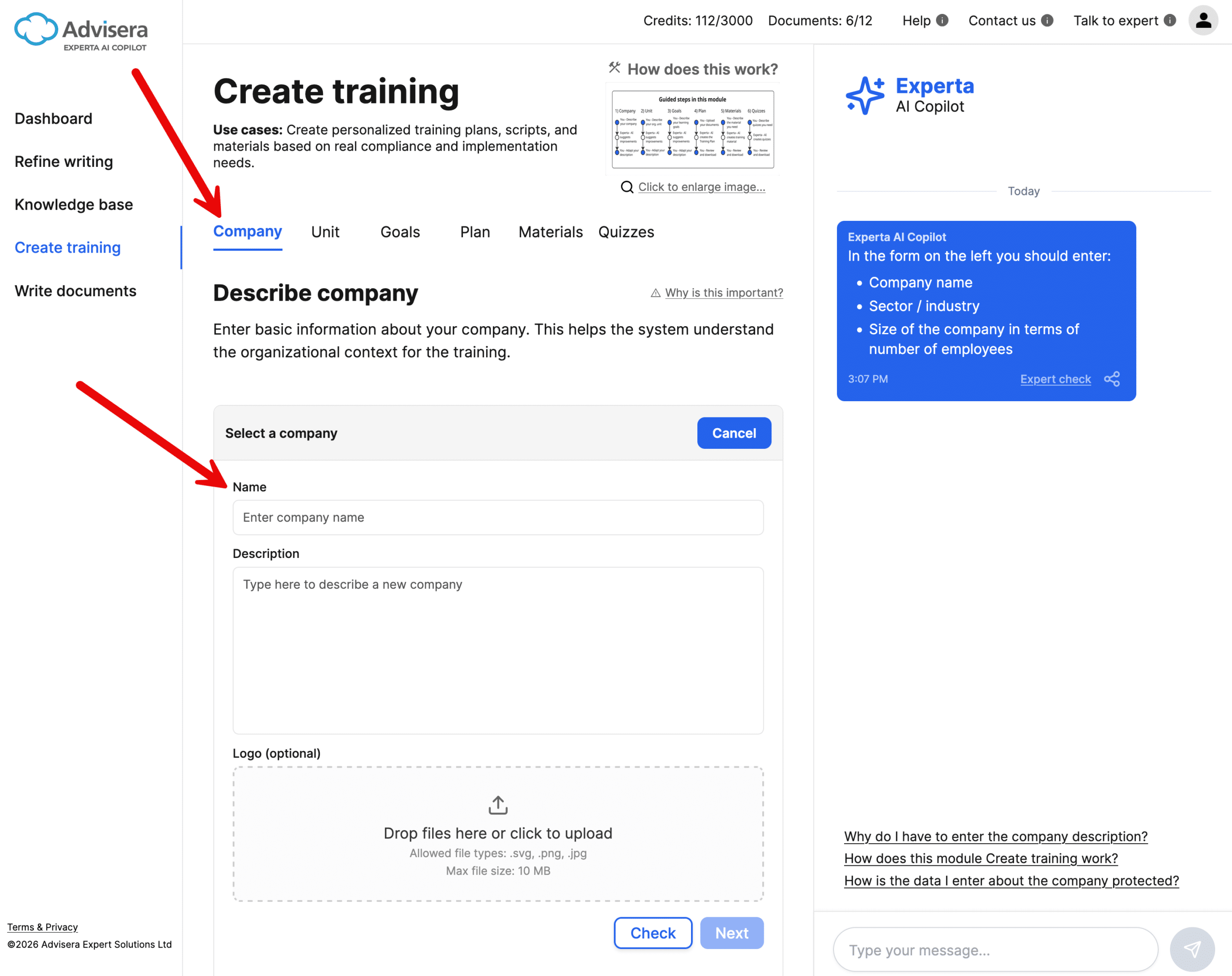
Describe your organization, including:
- Industry
- Company size
- General context
Click Check to validate your description, then Next to move on to the next step.
👉 This step ensures all generated content is aligned with your business.
2. Organizational unit
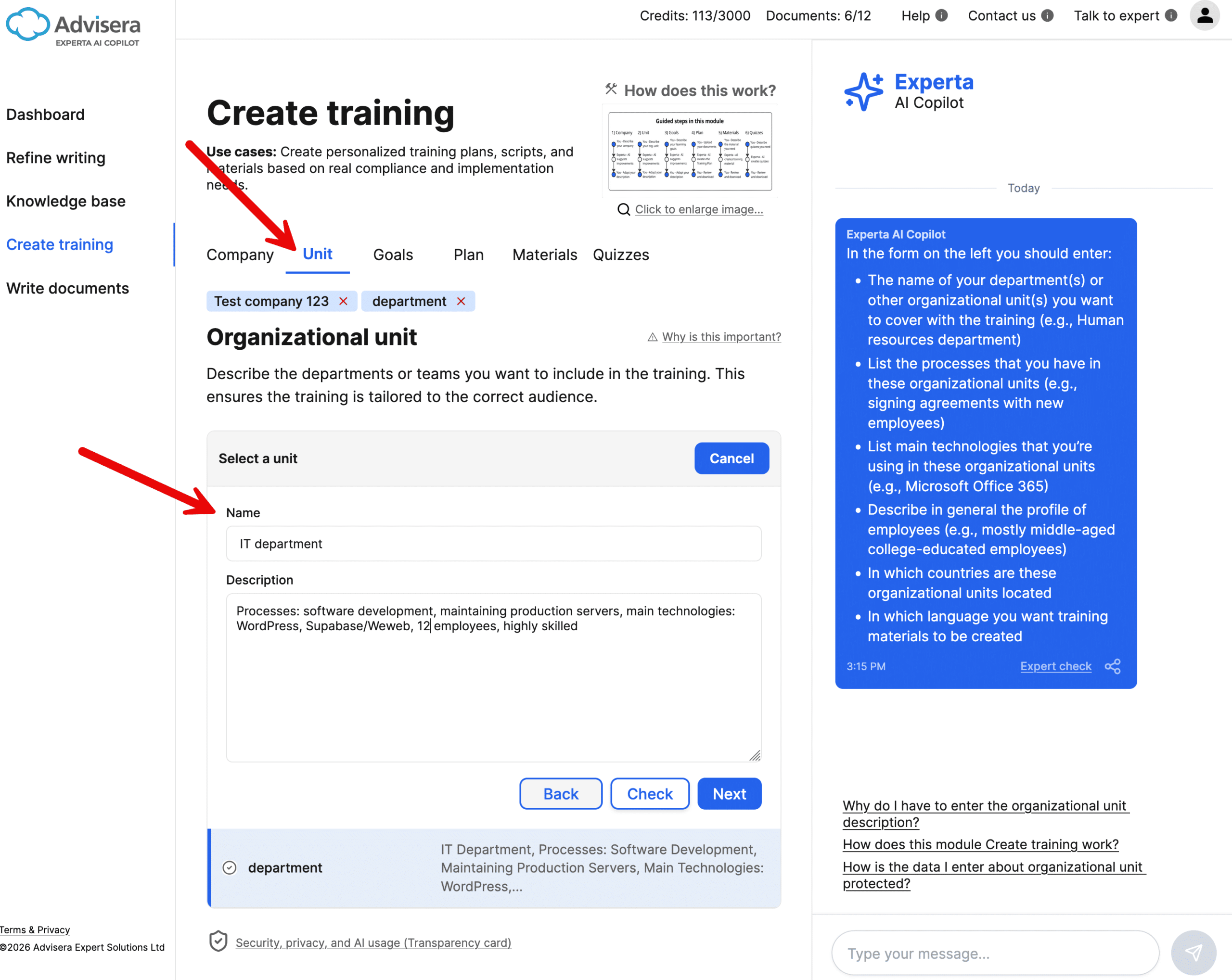
Define the part of the organization the training applies to:
- Departments or teams
- Key processes
- Technologies used
- Employee profiles
- Locations and language
Click Check to validate your description, then Next to move on to the next step.
👉 This step makes the training specific and relevant.
3. Learning goals
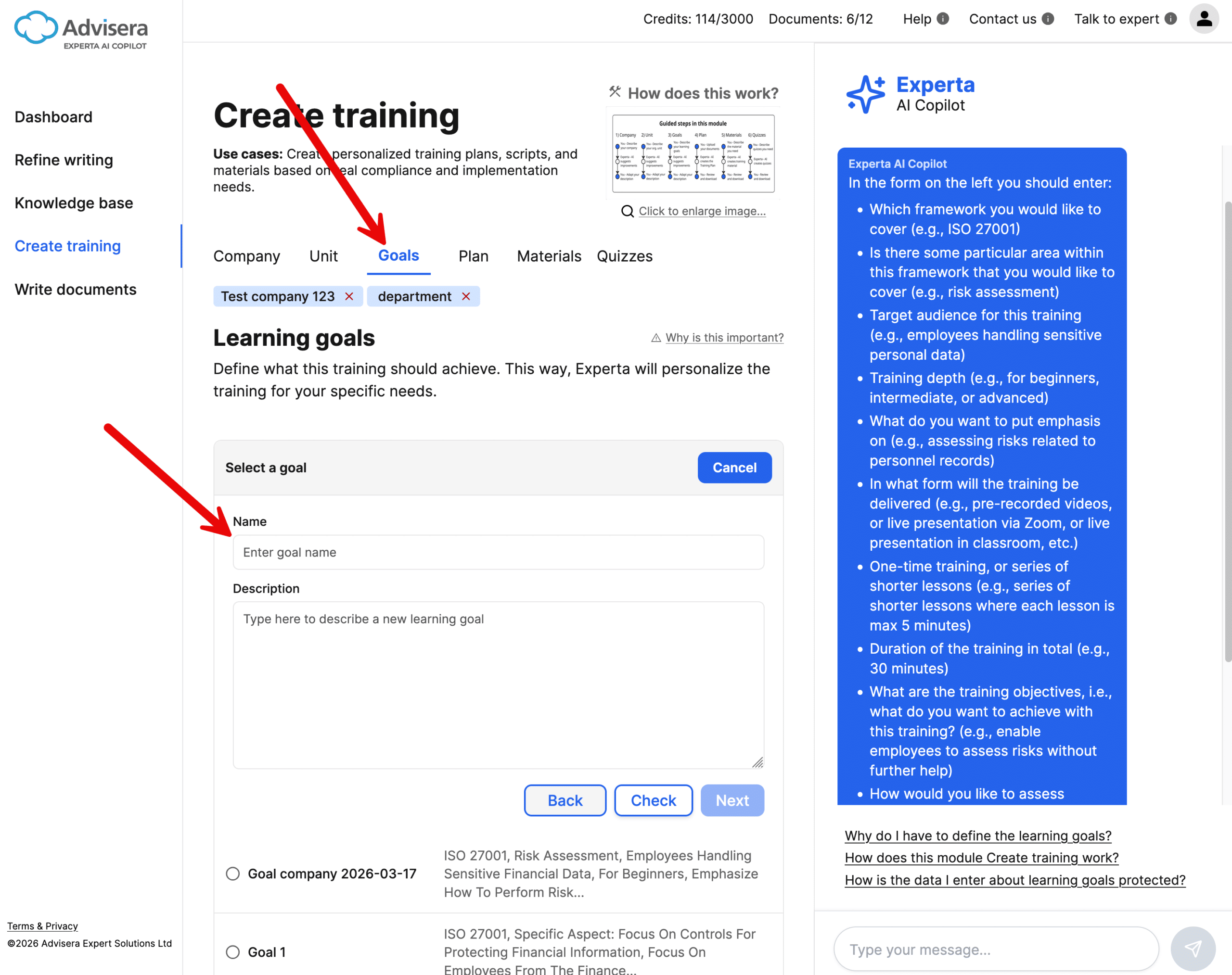
Define what the training should achieve:
- Framework (e.g., ISO 27001)
- Topic (e.g., risk assessment)
- Target audience
- Training depth
- Delivery method
- Duration and structure
- Objectives and assessment methods
Click Check to validate your description, then Next to move on to the next step.
👉 This is the most important step — it determines the quality of everything that follows.
4. Training plan
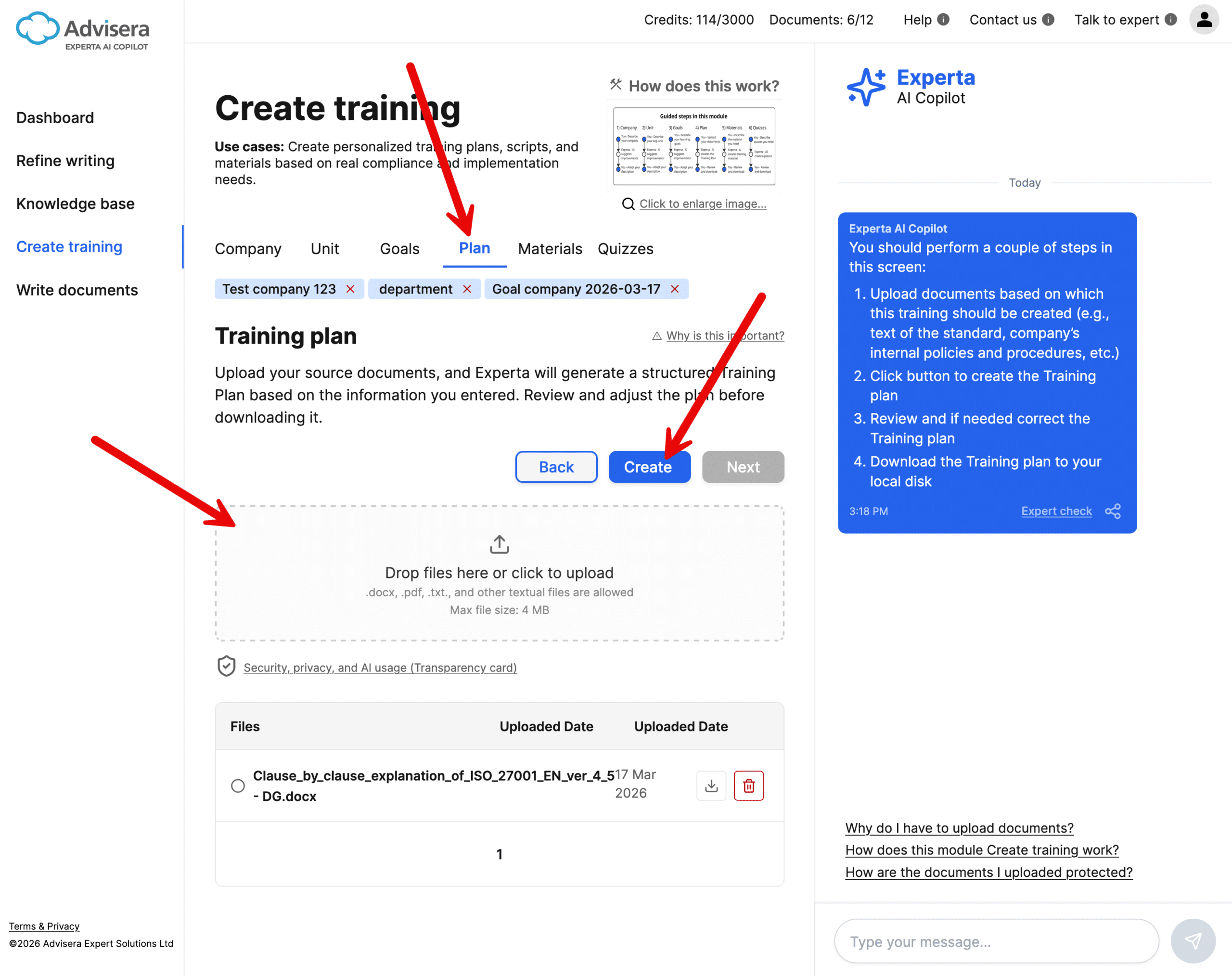
In this step:
- Upload relevant documents (e.g., your policies and procedures, standards, etc.)
- Click Create to generate the training plan
- Review and adjust if needed
- Download the plan
👉 This step creates a document that sets the basic structure that all later training steps follow.
5. Training materials
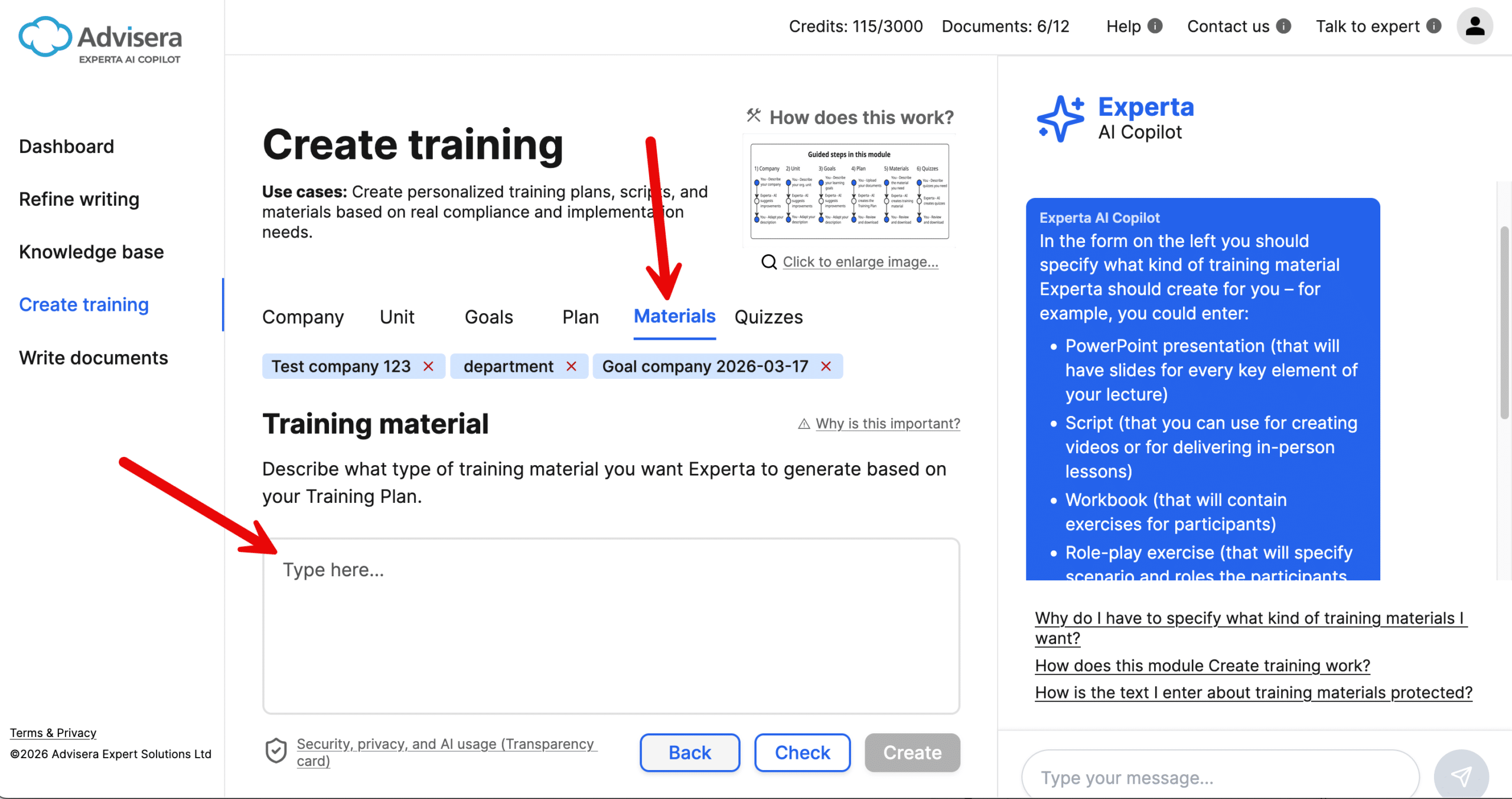
Specify what kind of material you want, for example:
- PowerPoint presentation
- Training script
- Workbook
- Role-play exercise
Click Check to validate your description, then Download to generate the material.
👉 You can create multiple materials by repeating this step.
6. Quizzes and tests
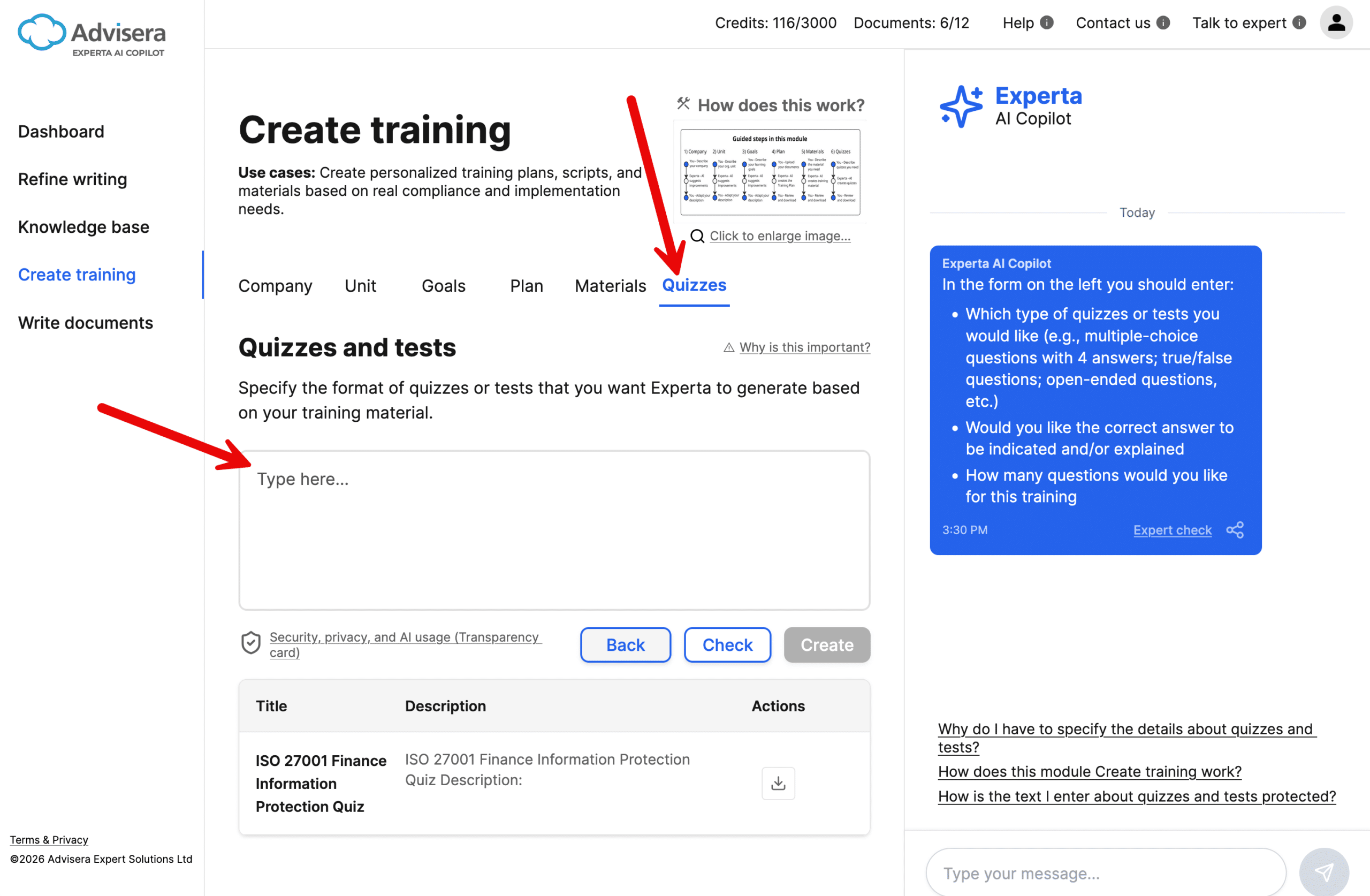
Define how participants will be assessed:
- Type of questions (multiple-choice, open-ended, etc.)
- Whether answers should be included
- Number of questions
Click Check to validate your input, then Download to generate the quizzes.
What does the “Check” button do?
In several steps, you will see a “Check” button.
The purpose of this button is to validate and improve your input before moving forward.
When you click Check:
- Experta analyzes your input
- Identifies missing or unclear elements
- Suggests what you should add or improve
- Displays suggestions in the Chat sidebar
👉 Important:
- It does not rewrite your text
- It helps you complete your input properly
- You remain in full control of the content
Once your input is complete, the Next or Download button becomes available.
Tips for best results
- Be as specific as possible in each step
- Always use Check before moving forward
- Upload relevant documents to improve accuracy
- Start with one type of material, then create additional ones
Frequently asked questions
1. Why do I need to go through all these steps?
Because high-quality training depends on context – audience, goals, and company specifics.
2. Can I skip the “Check” button?
Experta will require you to click the Check button at least once in every screen; once you initially check your entry, you can click the Next or Download button.
3. Will Experta generate everything automatically?
Yes, but based on your inputs. The better your inputs, the better the output.
4. Can I edit the generated content?
Yes. You can review and adapt all outputs before using them.