
What is the Knowledge base module?
The Knowledge base module helps you quickly find reliable answers to compliance questions—without needing to search externally or guess what to ask.
It is designed as a structured, expert-driven environment where you can:
- Explore topics you may not fully understand
- Ask detailed compliance questions
- Get accurate, practical answers based on expert knowledge
Instead of starting from a blank prompt, the Knowledge base guides you toward the right questions and the right answers.
What problems does it solve?
Compliance professionals often face these challenges:
- Not knowing what to ask about a specific standard
- Struggling to find trustworthy answers online
- Spending too much time searching across multiple sources
- Lacking access to affordable expert advice
The Knowledge base solves this by combining structured navigation + AI-powered answers in one place.
How to use the Knowledge base
You have 3 main ways to interact with the module:
1. Browse questions by structure
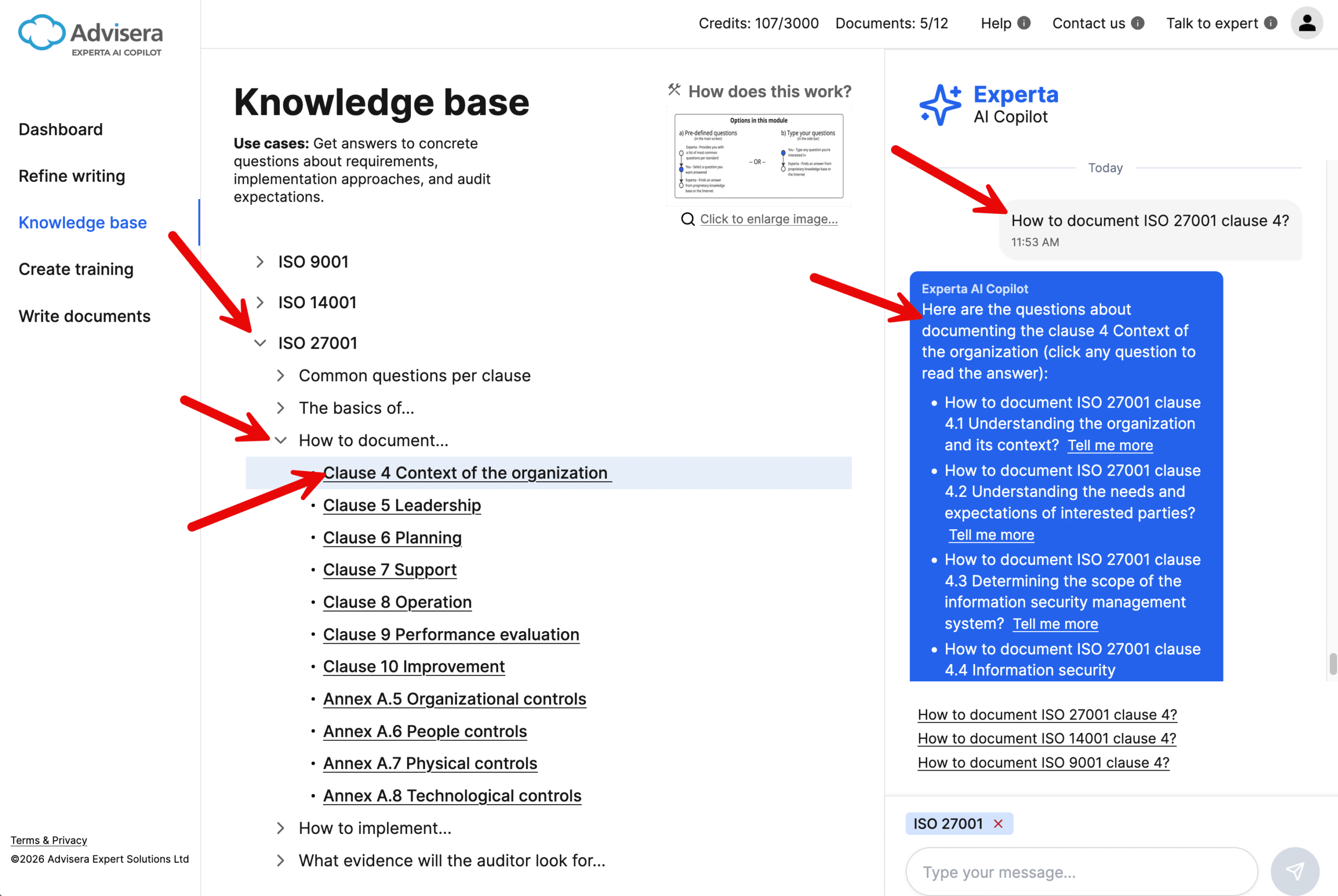
On the left side, you’ll see a structured list of topics.
- Expand sections to explore specific areas
- Click on any question to get an instant answer in the Chat sidebar
👉 This is the best option when you’re not sure what to ask.
2. Use suggested questions
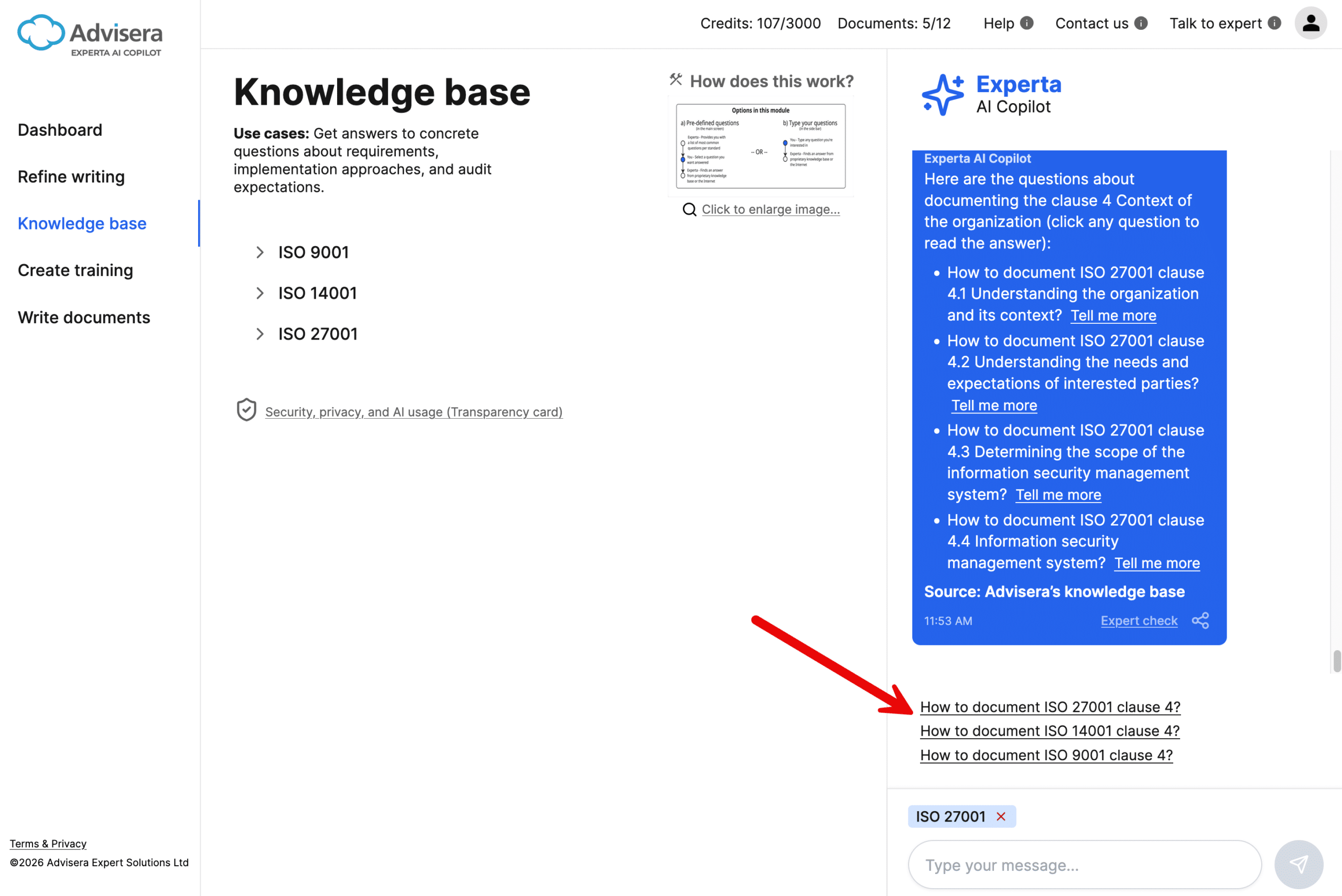
In the Chat sidebar, you’ll see suggested questions.
- Click any suggestion to get a quick answer
- Suggestions adapt based on your previous interactions
👉 This helps you explore related topics faster.
3. Ask your own question
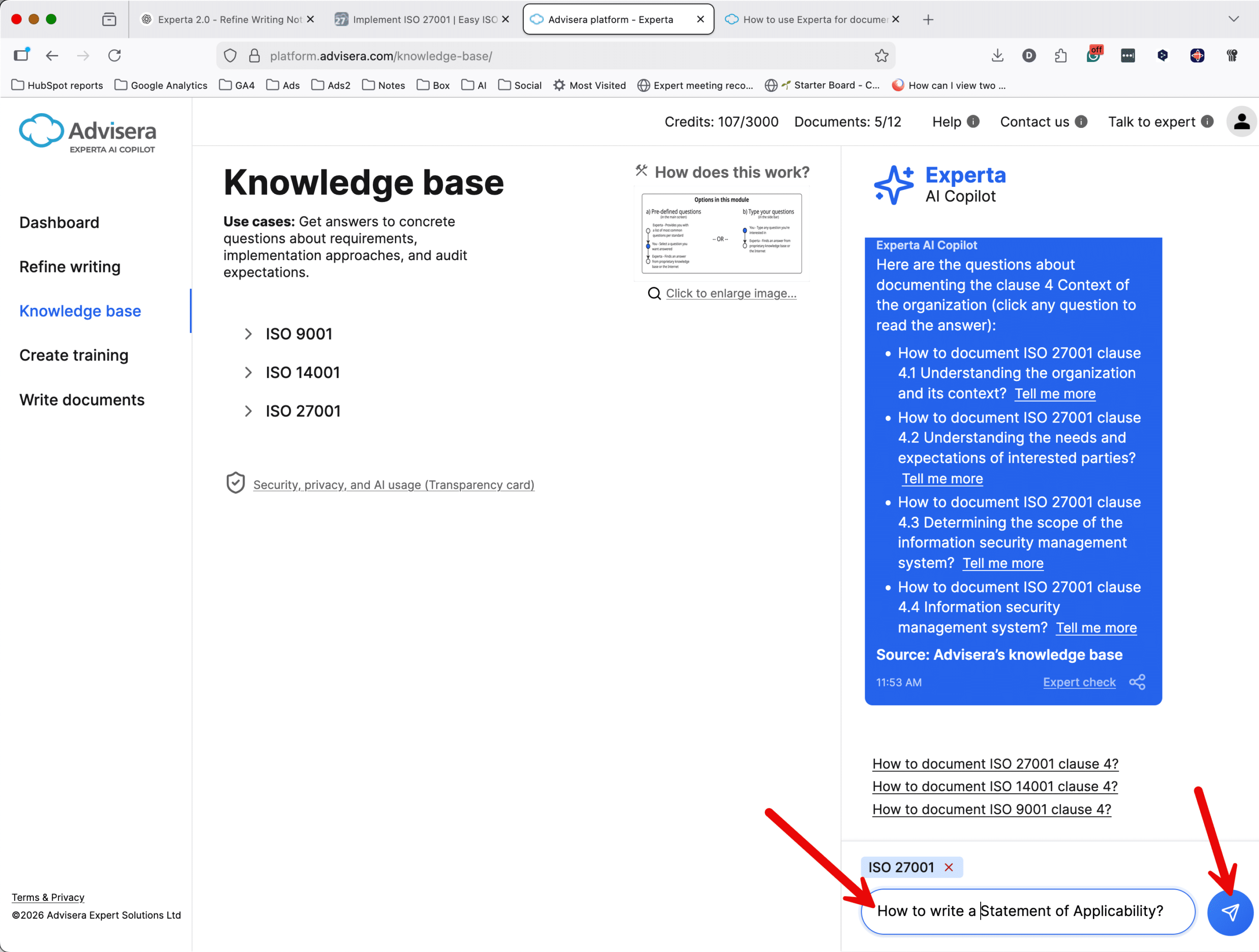
You can type your own question in the Chat sidebar.
- Ask anything related to compliance standards or best practices
- Get clear, expert-level explanations
👉 Use this when you have a specific problem to solve.
Understanding the answers
Answers are designed to be:
- Clear and structured (often with bullet points)
- Practical (focused on implementation, not theory)
- Reliable (based on Advisera’s knowledge base curated by experts)
Go deeper with “Tell me more”
If an answer contains bullet points, you’ll see a “Tell me more” option.
For each bullet in an answer, you can click “Tell me more” to get a deeper explanation of that specific point.
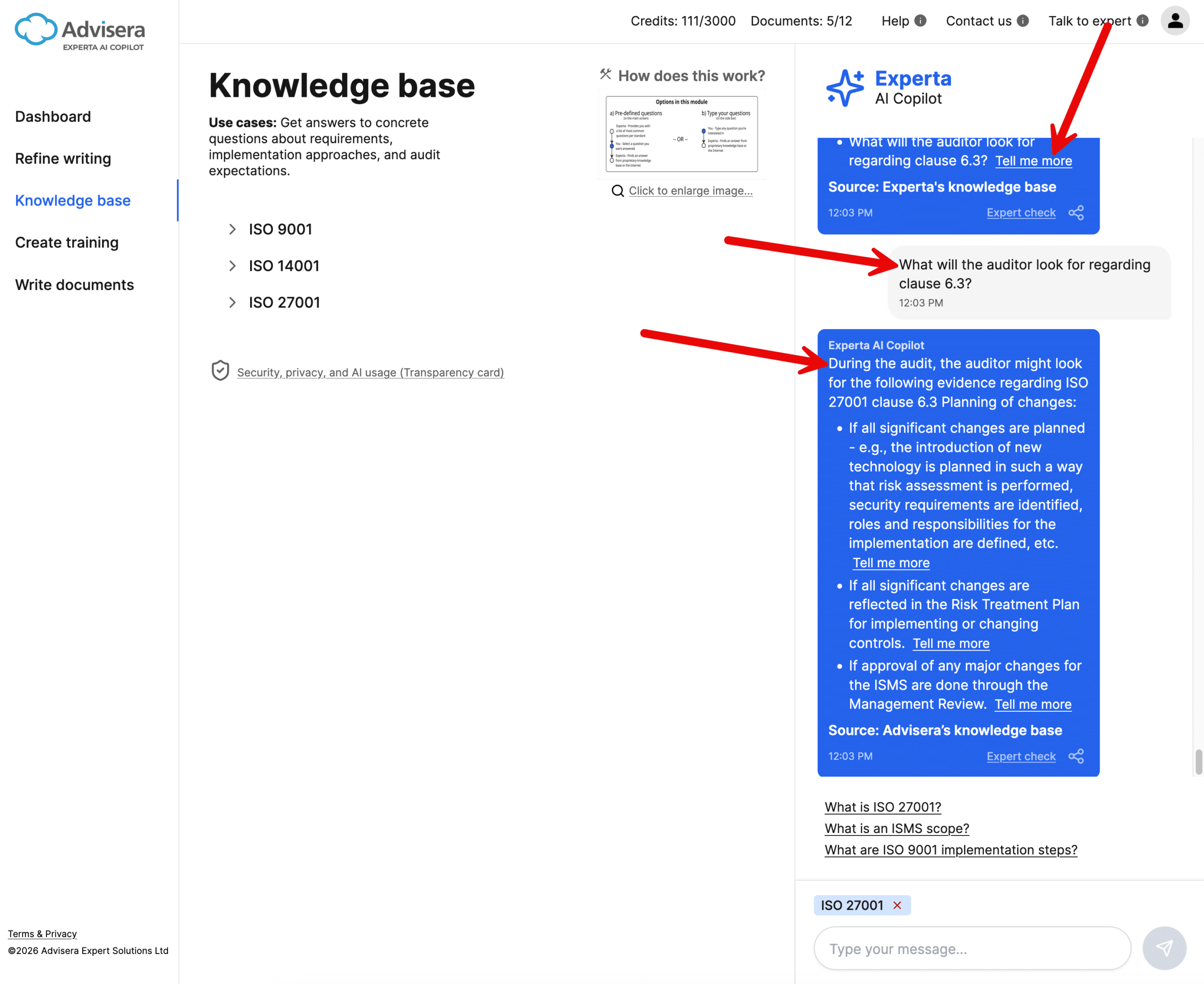
When you do this:
- The original question and answer stay visible (pinned)
- You can continue exploring without losing context
👉 This allows you to drill down into details step by step.
Tips for best results
- Start with browsing if you’re unsure what to ask
- Use suggested questions to discover related topics
- Ask follow-up questions to clarify specifics
- Use “Tell me more” instead of asking broad follow-ups
Frequently asked questions
1. Do I need to know the standard to use this module?
No. The structure and suggested questions are designed to guide you — even if you’re new to the standard.
2. Are the answers reliable?
Yes. Answers are based on Advisera’s proprietary knowledge base.
3. Can I ask follow-up questions?
Yes. You can either type a new question or use “Tell me more” to explore deeper.
4. Will I lose my previous answer when I ask another question?
No. The system keeps context, and important answers can remain visible while you explore further.